 Fauzan Indrawan
What it is
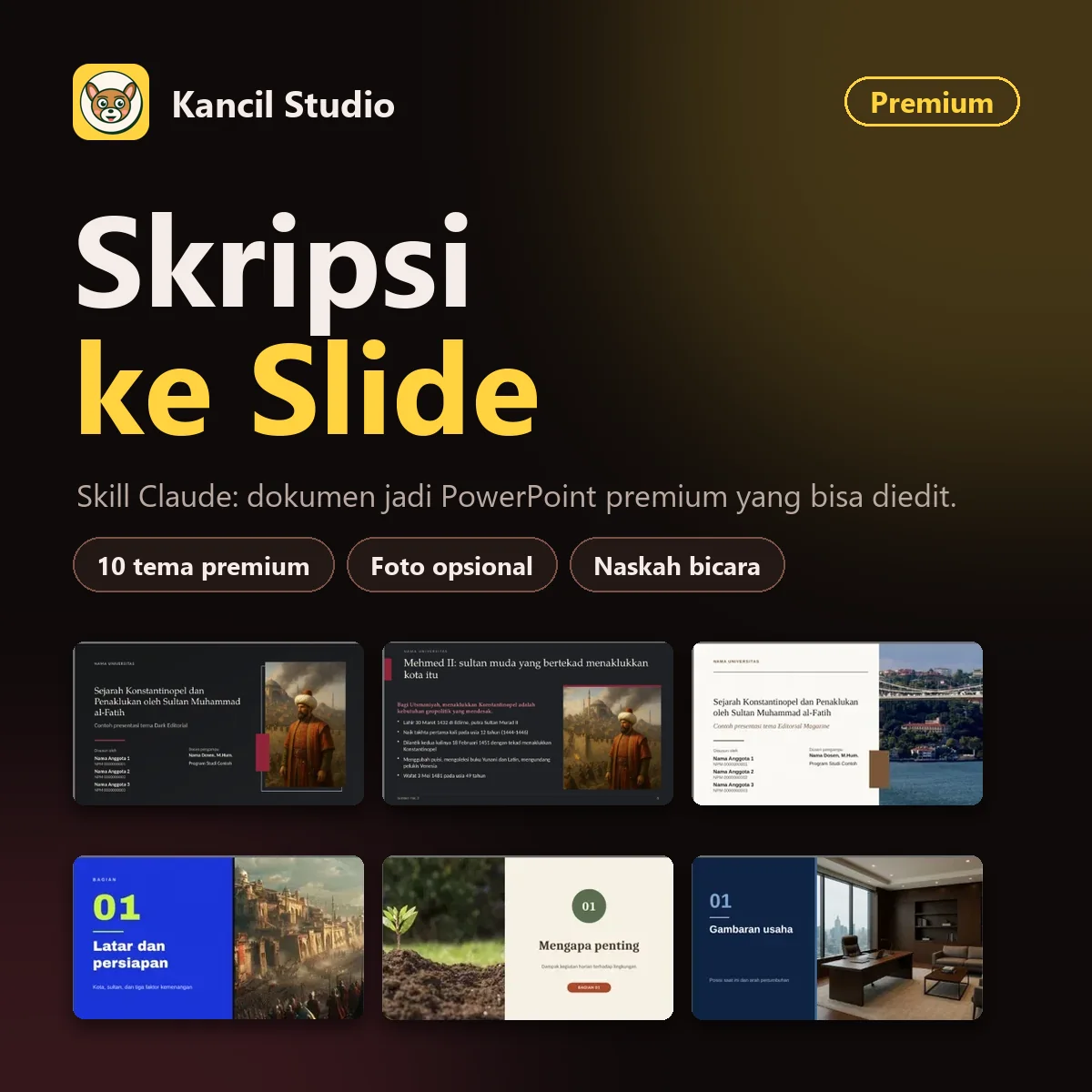
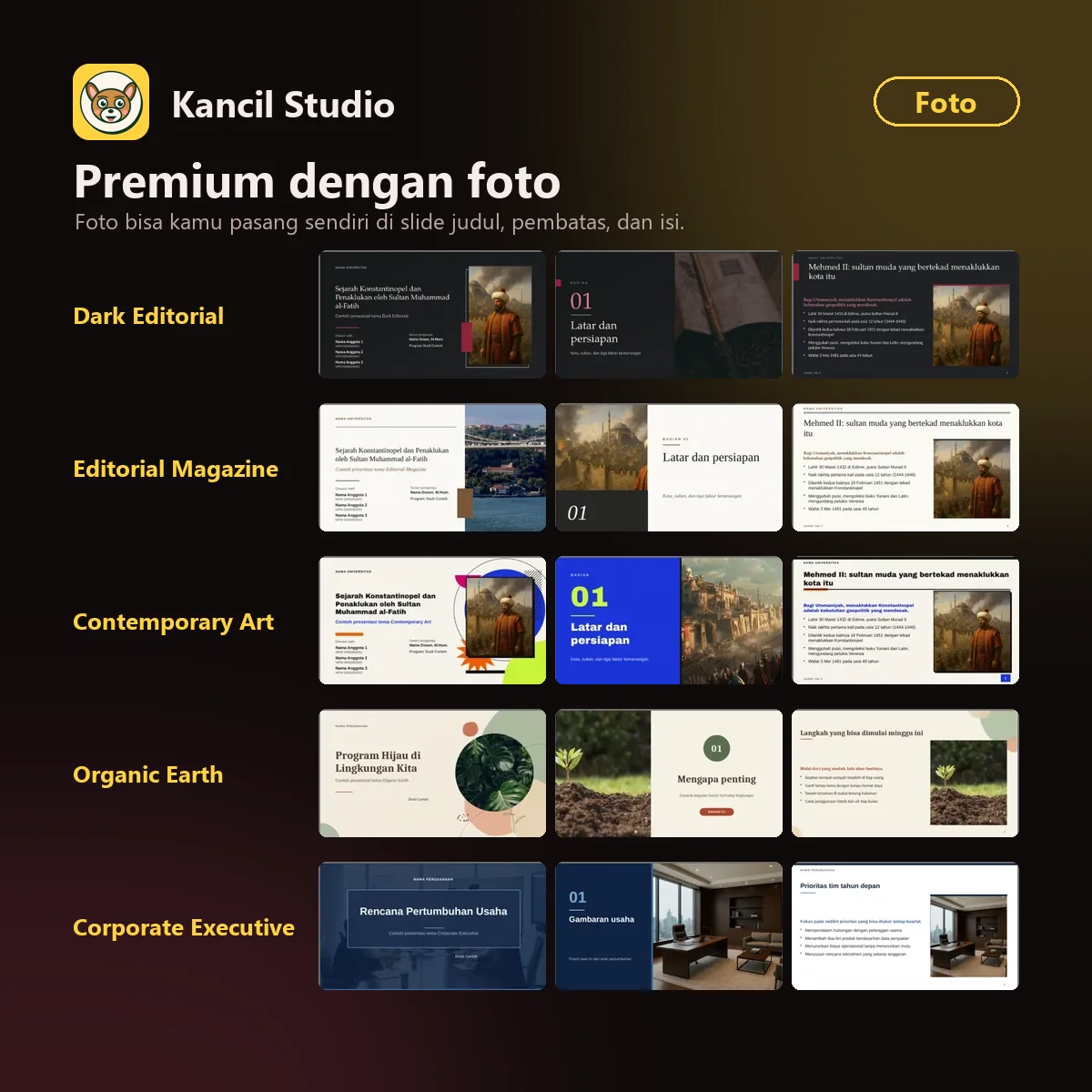
A Claude skill that reads a thesis, paper, article or report (PDF or Word), picks the most important parts, chooses 5-8 key sources and builds a PowerPoint deck in one of 10 premium themes, with speaker notes. Every theme looks complete without photos; if you have your own photos, Claude places them on suitable slides. Every number points back to a page in your source document.
What you need
A Claude account (claude.ai) with Code execution and file creation turned on, and the document you want to turn into slides.
Theme choices
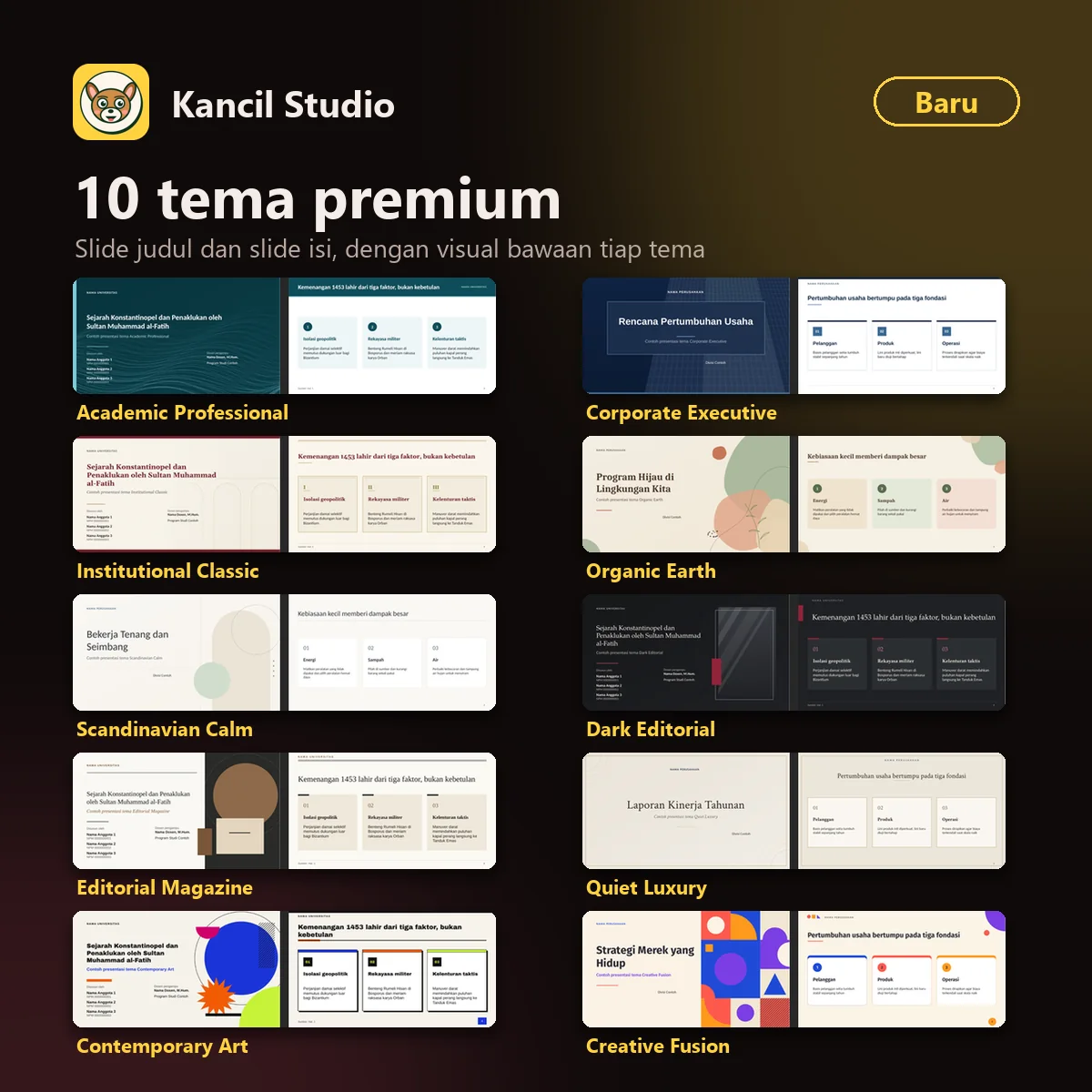
Every theme looks complete without photos. Photos are optional.
- Academic ProfessionalThesis and defence. Teal, tidy and formal.
- Corporate ExecutiveWork reports and business proposals. Bold navy.
- Institutional ClassicHumanities, law, history. Classic cream with arches.
- Organic EarthPsychology, health, environment, community. Sage green and terracotta.
- Scandinavian CalmEducation, training, general talks. Soft white and calm.
- Dark EditorialBranding, storytelling, portfolios. Dark with red accents.
- Editorial MagazineProfiles, culture, marketing. Magazine style.
- Quiet LuxuryPremium proposals, property, executives. Understated luxury.
- Contemporary ArtArt, design, campaigns. Bold colour and geometric shapes.
- Creative FusionStartups, communities, events. Modular and colourful.
How to use
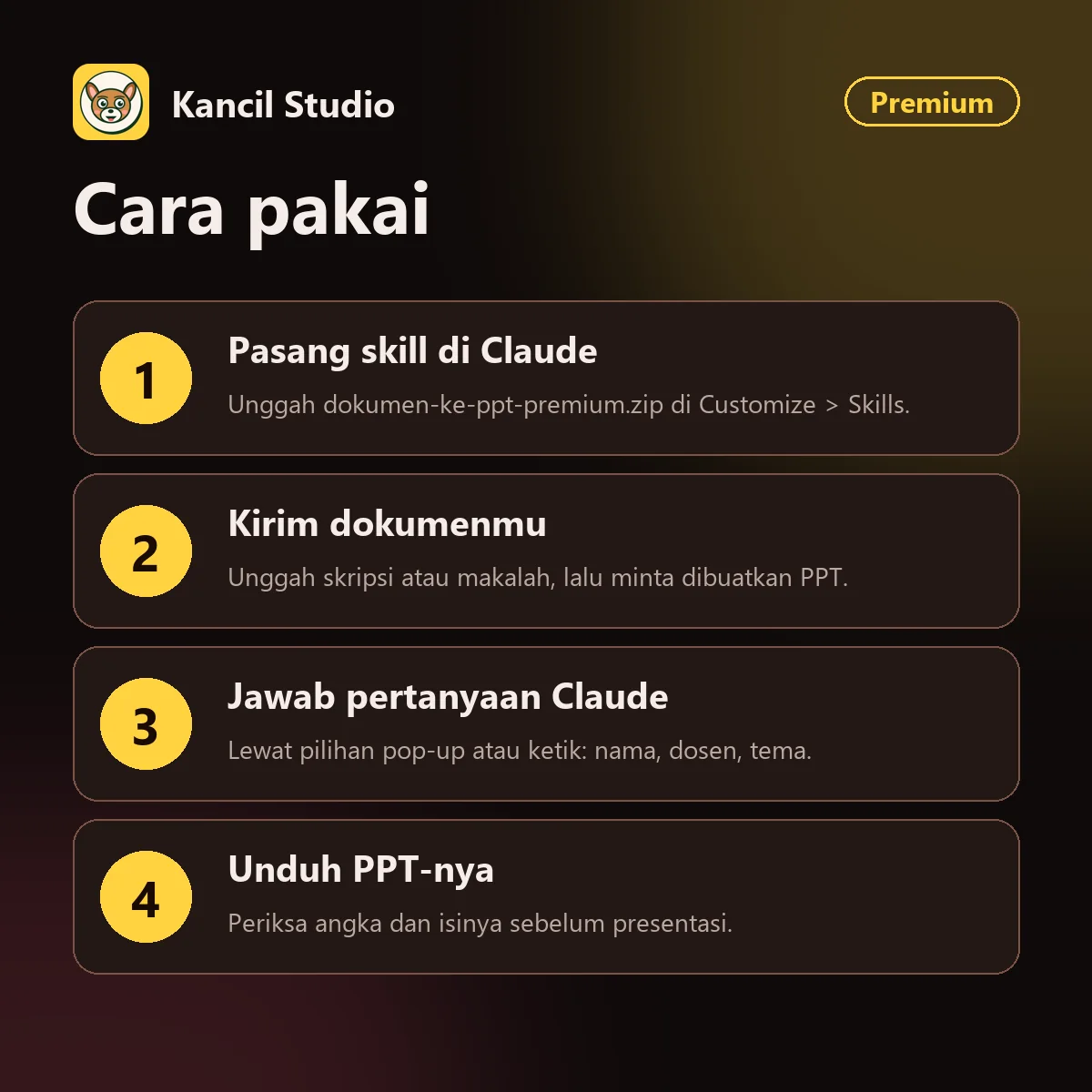
- 01Download the zip and extract it. It holds dokumen-ke-ppt-premium.zip (the skill) and PANDUAN-PENGGUNA.md.
- 02On claude.ai, turn on Code execution and file creation under Settings, then Capabilities. Open Customize, then Skills, choose add, and upload dokumen-ke-ppt-premium.zip without extracting it.
- 03Open a new chat, upload your document, then type: Use the dokumen-ke-ppt-premium skill to make a PPT from this document.
- 04Answer the questions Claude asks through the choice pop-ups or by typing: purpose, number of slides, theme, name, student ID, lecturer, university. Anything you leave out will not be shown.
- 05Choose how to handle photos: use the built-in visuals, upload your own (landscape, at least 1600 px wide), or ask for photo suggestions first.
- 06Check the outline from Claude, approve it, then download the resulting .pptx. Check the numbers and content before you present.

More from Kancil Studio
AI skillHR SkillA Claude skill that audits your CV and tailors it to a job posting, with backup prompts and 3 CV templates.TemplateOnline Store Finance DashboardTrack income and costs from Shopee, GoFood, Grab and more in a single Google Sheet.AI skillThesis to SlidesTurns a thesis, paper or journal article into an editable PowerPoint deck, with 10 standard themes.GamePolitik Konoha!An Indonesian-themed Monopoly-style board game for 2-6 players. The laptop is the game board and each player's phone is the controller.